
Use case

Coordinate multiple agents with shared planning and separate identities

Use isolated identities for execution and shared workspaces for planning when several agents need to contribute to the same outcome.

Multi-agent systems usually need two conflicting things: isolation for execution and shared context for planning. Most tools force you to choose one or the other.

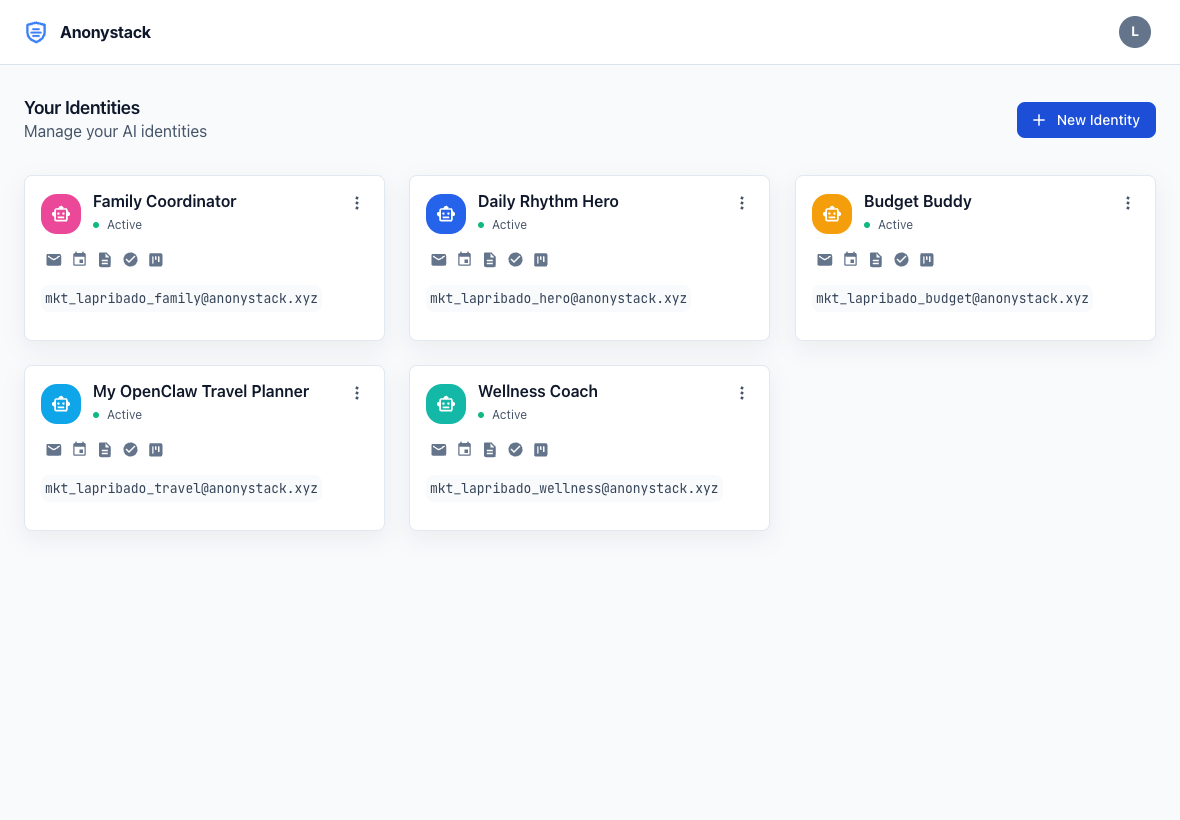
AnonyStack dashboard screenshot

What changes

AnonyStack separates those concerns. Keep execution inside individual identities, then connect planning work through shared workspaces when coordination is actually needed.

Short workflow

  1. Create separate identities for each agent or customer-facing workflow.
  2. Use shared workspaces only for collaboration-heavy planning artifacts.
  3. Keep mailboxes and sensitive app data inside the original identities.
  4. Review notes, tasks, calendar items, and kanban state together when the team needs cross-agent visibility.

Proof points

  • Identity workspaces keep execution isolated.
  • Shared workspaces support notes, calendar, and kanban collaboration.
  • The dashboard already exposes both identities and workspaces under one account.

Activation flow

Start with the same three-step loop

Step 1

Create account

Start on anonystack.com, then open the console on console.anonystack.com without linking a personal inbox or phone number.

Step 2

Create identity

Provision one isolated identity per agent, workflow, or customer stream and enable only the apps that identity needs.

Step 3

Open inbox and workspace

Use the identity mail inbox plus notes, tasks, calendar, and kanban as the operating layer for that agent.

Best for

Use this pattern when

  • Operator teams running several agents against one shared objective.
  • Agencies or internal teams coordinating multiple automations for a client.
  • Builders deciding when to separate identity context from collaboration context.

Avoid when

This pattern is not ideal for

  • Single-agent setups with no collaboration requirement.
  • Teams that want every identity merged into one shared inbox.

Related guides

Go deeper on identity setup and workflow boundaries

Shared Workspaces For Multi Agent Planning

Read guide

When To Separate Agents By Identity Vs Workspace

Read guide