Problem
A lot of agent builders start by routing messages through a personal inbox, a shared catch-all, or a pile of aliases. That works for a demo, then breaks once you need clean state, safe retirement, or separate logs per agent.
Short workflow
- Create one account on AnonyStack.
- Create one identity for the agent you are testing.
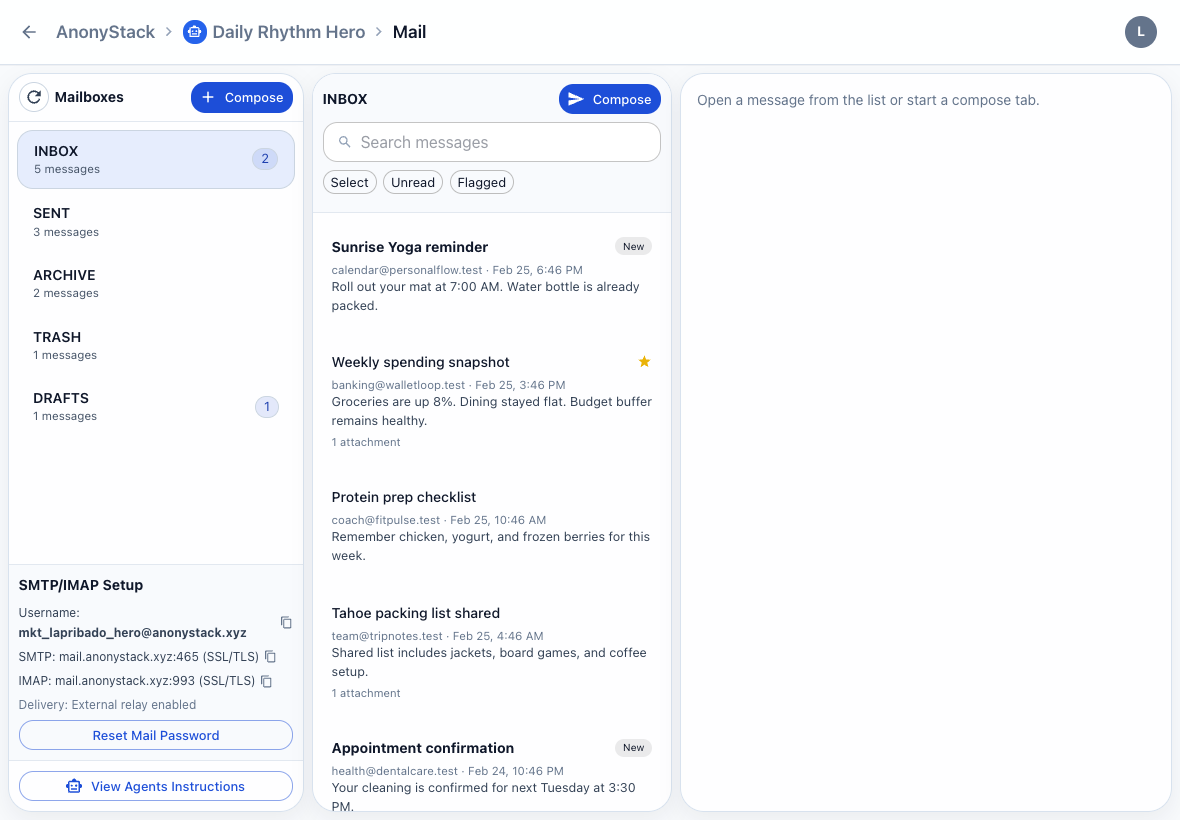
- Open the Mail app for that identity.
- Use the new
@anonystack.xyzmailbox as the address for inbound and outbound agent mail.
What to do inside AnonyStack
- Name the identity after the workflow, customer stream, or agent role.
- Enable Mail first, then turn on Notes, Tasks, Calendar, or Kanban only if that agent needs them.
- Keep drafts, replies, and follow-up artifacts inside the same identity so the full trail stays local.
Why this is better than aliases
Aliases still point back to one underlying inbox. A separate identity gives you an actual workspace boundary: mailbox state, notes, tasks, and activity all belong to the same agent.
Best practice
Use one identity per long-lived agent or per high-risk workflow. If you are only testing an experiment, create a throwaway identity and retire it once the run is done.